



Skocz do zawartości
View in the app

A better way to browse. Learn more.

Autokącik

A full-screen app on your home screen with push notifications, badges and more.

To install this app on iOS and iPadOS
  1. Tap the Share icon in Safari
  2. Scroll the menu and tap Add to Home Screen.
  3. Tap Add in the top-right corner.
To install this app on Android
  1. Tap the 3-dot menu (⋮) in the top-right corner of the browser.
  2. Tap Add to Home screen or Install app.
  3. Confirm by tapping Install.

Ranking

Popularna zawartość

Treść z najwyższą reputacją w 19.11.2019 uwzględniając wszystkie miejsca

  1. A worek z silikatem sprawdzał czy tylko usuwa skutki?
  2. Mam dwa Subaraki z 90 roku, jeden turbo, drugi wolnossący. Oba w 100% sprawne. Kiedyś to było!!
  3. Ja nie wiem co wy chcecie - ile auto ma jeździć? 3 lata to już stary złom! Tak BTW kuzyn w T5 już 2 razy nagrzewnice wymieniał na przestrzeni 4 lat
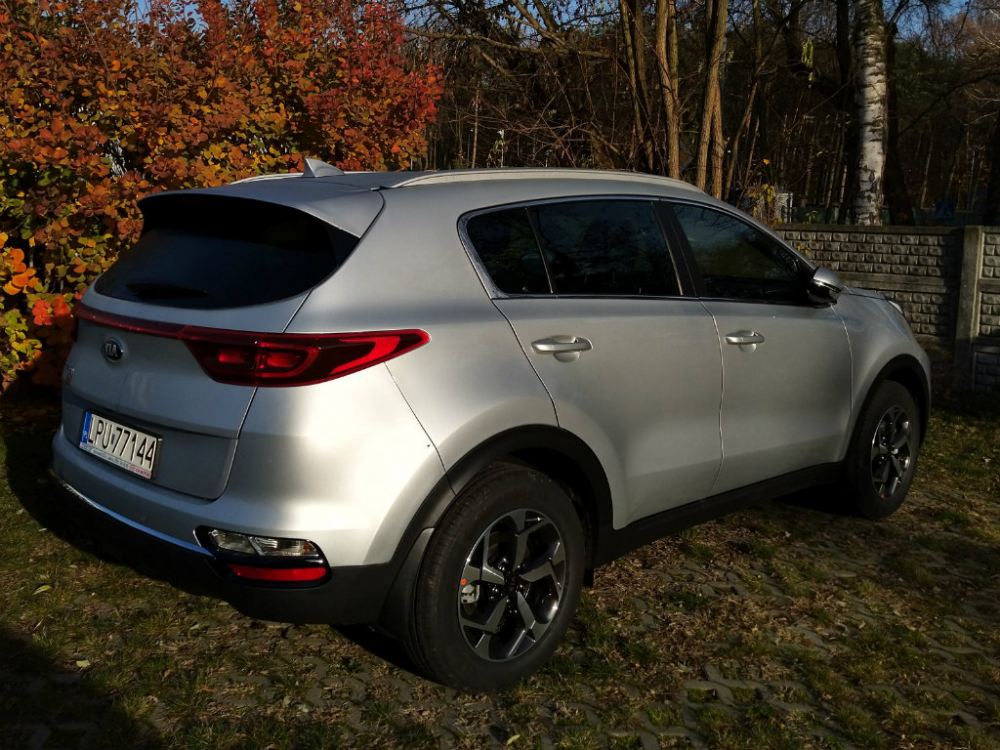
  4. Od dwóch dni KIA Sportage 1.6 T-GDi ze skrzynią 7DCT, rocznik modelowy 2020, poziom wyposażenia M z pakietem smart. Jak na razie wrażenia pozytywne - przestronnie, cicho, wygodnie, jak potrzeba to dynamicznie. Zastanawiam się tylko nad konserwacją, bo pod spodem dużo gołej blachy widać...
Ten Ranking ustawiony jest na Warszawa/GMT+02:00

Powiadomienie o plikach cookie

Używając tego serwisu, wyrażasz zgodnę na naszą Polityka prywatności oraz Warunki użytkowania.

Account

Navigation

Szukaj

Szukaj

Configure browser push notifications

Chrome (Android)
  1. Tap the lock icon next to the address bar.
  2. Tap Permissions → Notifications.
  3. Adjust your preference.
Chrome (Desktop)
  1. Click the padlock icon in the address bar.
  2. Select Site settings.
  3. Find Notifications and adjust your preference.